The story-structuring tool for creators At the center of every story

Plan, structure, and write podcasts, videos, films, books, and speeches.

Free to start — no credit card needed.

Built for every kind of story.

From a podcast episode to a feature film — fifty ready-made structures, or a blank canvas when you'd rather start fresh.

Podcast & Audio

Episodes, interviews and narrative audio

Video & Social

YouTube, TikTok, Reels and video content

Speeches & Presentations

Keynotes, pitches and live events

Scripts & Stories

Film, TV, books, screenplays and stand-up

Get the structure right before you write.

Break a project into blocks — the intro, the chapters, the transitions, the sponsor read, the ending — then move them around until the flow feels right.

When the structure works, the writing gets easier.

Start for free →

Write inside the structure you've built.

Open any block and add what belongs there — interview questions, research notes, key lines, or full sections of the script. You can also add a reference image, such as a storyboard frame, a location photo, or any visual you want to keep close while you work.

The writing stays connected to the structure from the start.

Start for free →

Sixty minutes means sixty minutes.

Give blocks a duration and the total stays live while you plan. Set a target, and you always know exactly where you stand — to the second, not the vibe.

No more episodes that run twenty minutes long. No more keynotes that blow past the slot.

Start for free →

Your plan is your script.

Tap Preview and the rundown becomes clean, card-by-card cue cards — big type, one block at a time, with your notes right where you need them.

On stage, on mic, on camera. No teleprompter app, no printed sheets.

Start for free →

Hand it off beautifully.

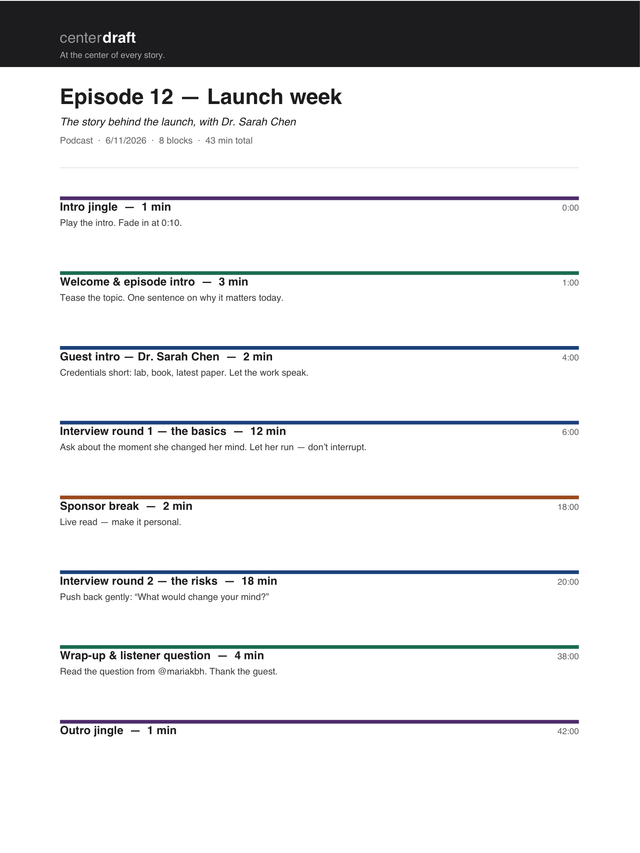
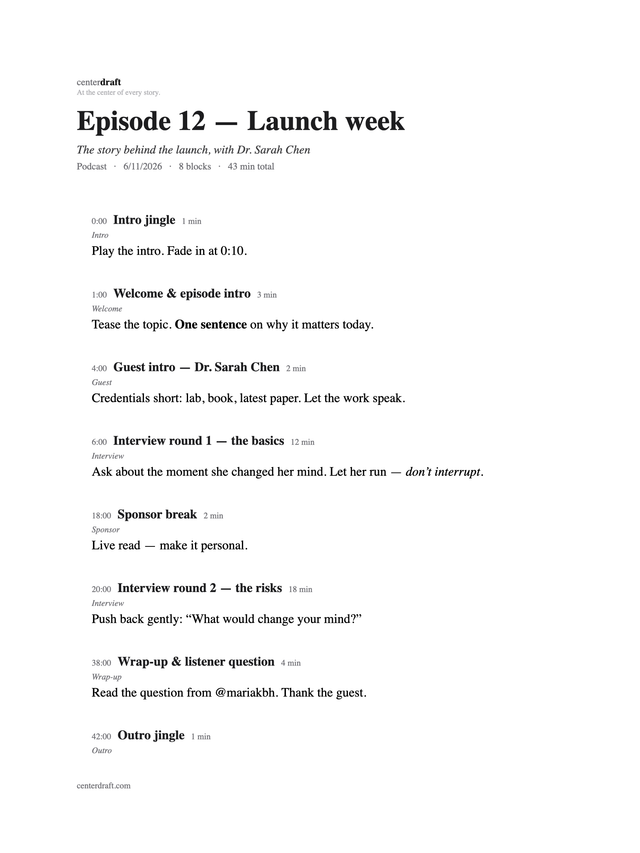
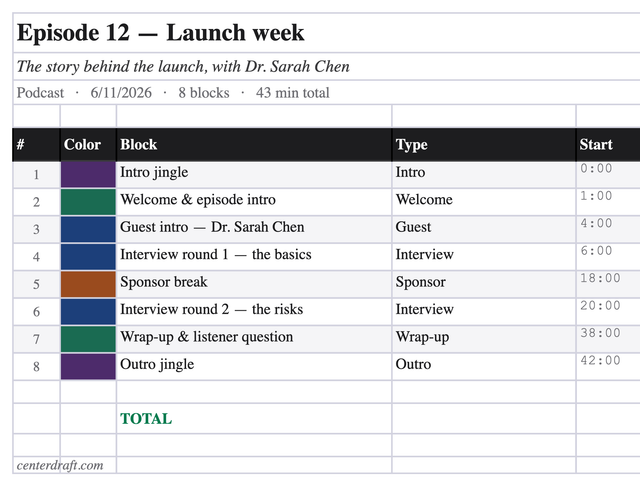
A polished PDF for the team. A Word outline you can write straight into. An Excel rundown for the producer who lives in spreadsheets.

Free
PDF
PDF export of a Centerdraft podcast rundown — a coloured rule per block, with durations, running timestamps, and notes
Polished PDFColoured rules, timestamps
Pro
Word · .docx
Word export of a Centerdraft rundown — an outline with timestamps, block titles, and talking points, ready to write into
Word outlineOpens in Word, Pages, Docs
Pro
Excel · .xlsx
Excel export of a Centerdraft rundown — block names with a colour edge, types, and start times in a clean styled spreadsheet
Excel rundownFrozen header, auto-filter

Real files, exported from this exact rundown — not mockups.

Simple, honest pricing.

Start free. Upgrade when you're ready.

Free

$0


1 project
All formats & 50 templates
PDF export (with watermark)
Cloud backup
Works on any device
Start for free

Do I need a credit card?

No. The free plan needs no card — you only pay if you upgrade to Pro.

Can I cancel any time?

Yes — one click, no questions asked. Pro stays active until the end of your billing period.

Do I have to install anything?

No. It runs in your browser — and installs as an app on Mac, Windows, iPhone & Android if you want it to.

More questions? Read the full FAQ

Good evening.

What are you making today?

Open Centerdraft in your browser and plan your first project — free, no password needed. Install it as an app on desktop and mobile.

Open Centerdraft → See pricing